Quick answer
Compare damage, attack speed, displayed DPS and the bonuses you lose before replacing a weapon. Before upgrading, check the next-level preview, success chance, materials and gold cost. Higher item level alone does not settle either decision.
Steam’s release achievements establish 12 equipment slots and an equipment-upgrade milestone of +10. That milestone does not establish an upgrade cap. The examples below come from official store screenshots; the numbers describe those items, not every drop in the live game.
A real weapon comparison
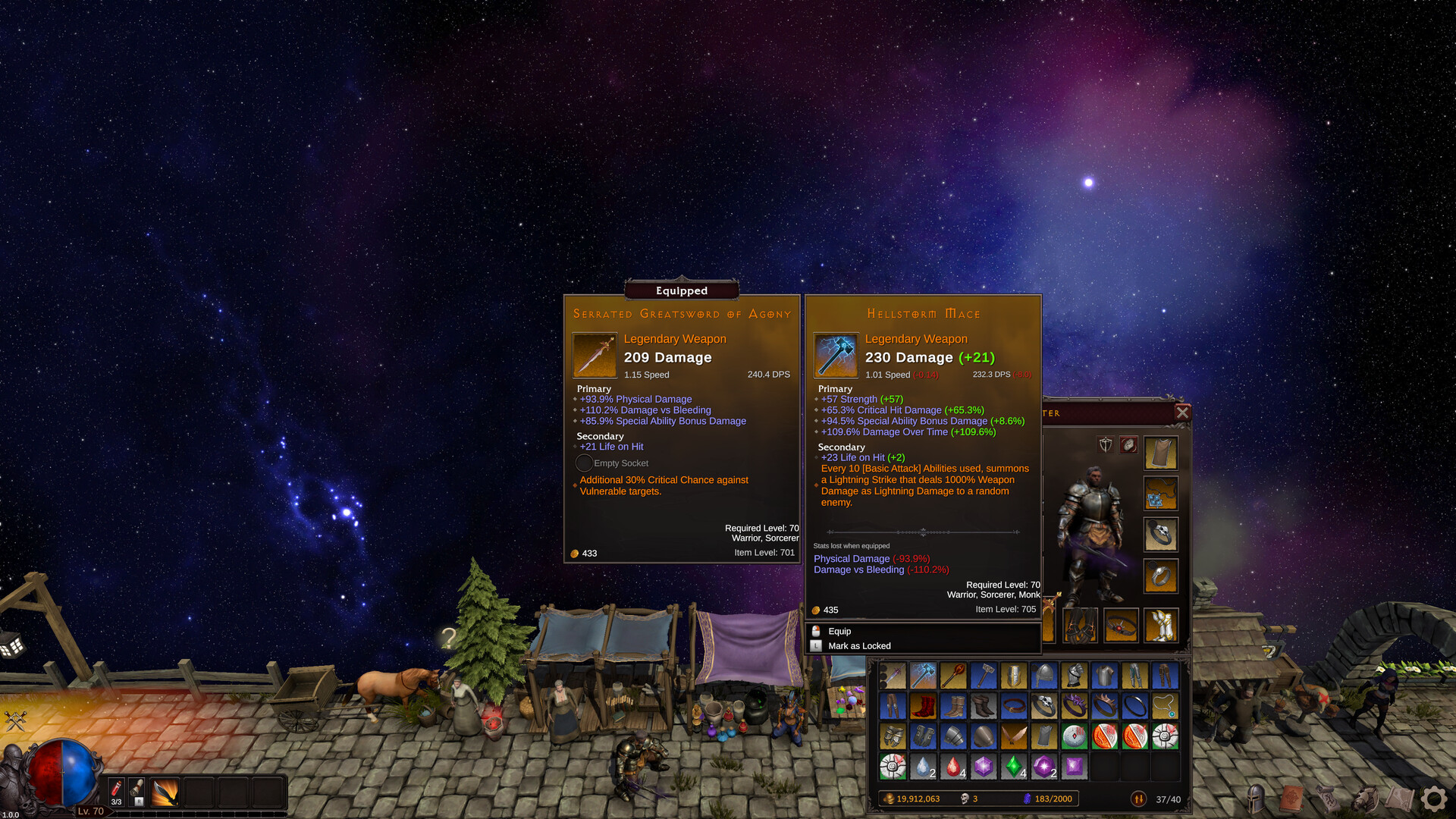
The official screenshot compares an equipped Serrated Greatsword of Agony with a Hellstorm Mace. The mace has higher damage per hit and a higher item level, but its displayed DPS is lower.
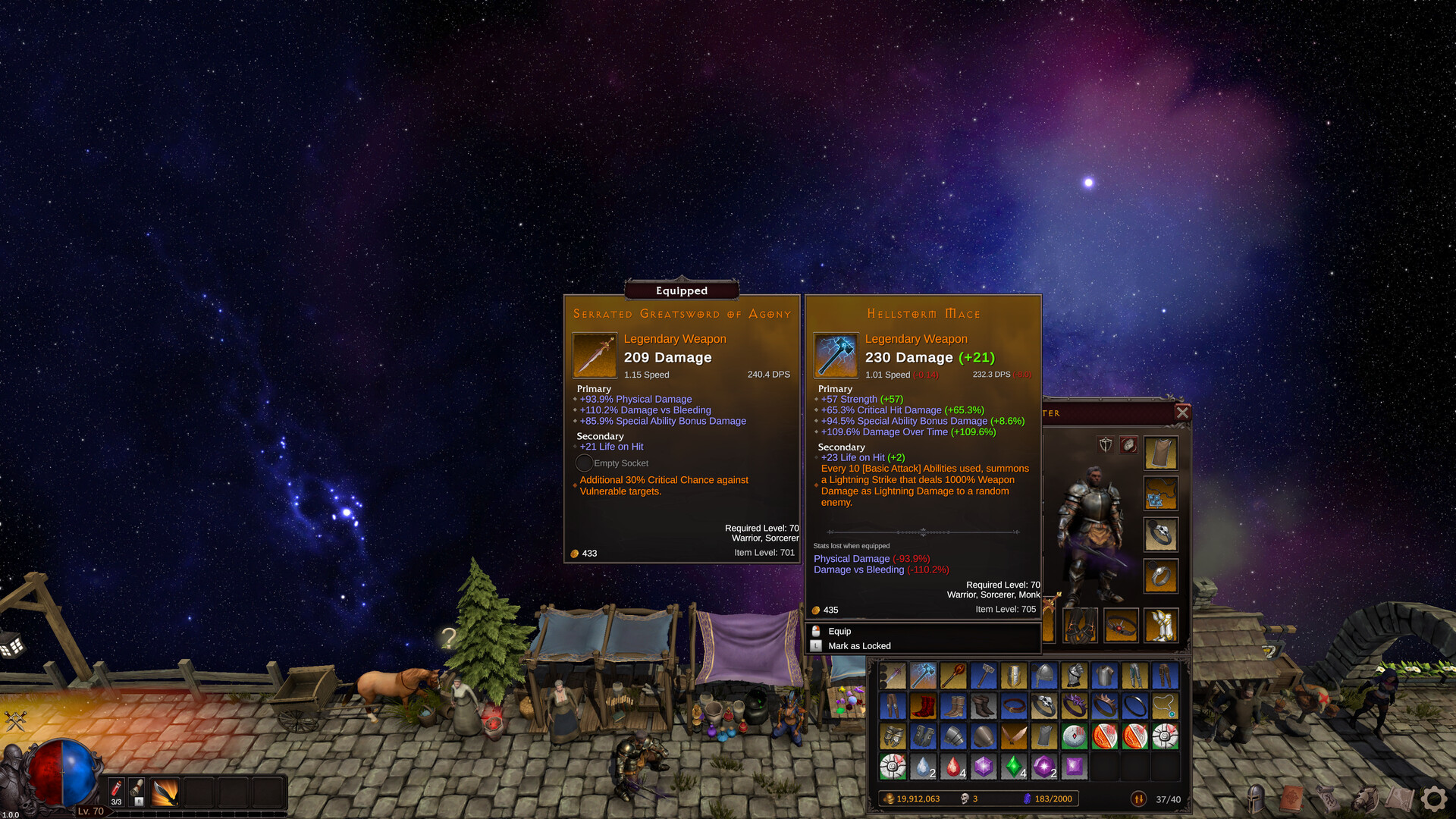
| Displayed field | Equipped greatsword | Candidate mace | What to notice |
|---|---|---|---|
| Damage | 209 | 230 | The mace gains 21 damage per hit |
| Speed | 1.15 | 1.01 | The mace is slower |
| DPS | 240.4 | 232.3 | The displayed difference is −8.0 DPS |
| Item level | 701 | 705 | The higher-level item does not win every comparison |
| Life on Hit | +21 | +23 | The mace gains 2 per hit; the attack-speed trade-off still matters |
Start with the damage, speed and DPS rows together. Then read the effects. Here, the greatsword has bonuses to physical damage and damage against bleeding enemies, plus extra critical chance against vulnerable enemies. The mace has a lightning effect triggered by using 10 Basic Attack Abilities. Those are different dependencies; neither tooltip proves which item wins in your setup.
Finally, read Stats Lost. In this example, swapping removes the displayed +93.9% Physical Damage and +110.2% Damage vs Bleeding bonuses. Check whether your current abilities use those bonuses before treating the mace’s green numbers as a complete upgrade.
Compare before replacing
- Check the requirements. Read the required level and allowed classes on the candidate. Item level and required character level are separate fields.
- Read the condition behind each bonus. Bleeding, Vulnerable and a Basic Attack trigger need a compatible setup.
- Inspect both gains and losses. Include the orange item effect and the Stats Lost section.
- Keep the previous item for a trial. Compare both in a familiar encounter with your other equipment and companion unchanged.
- Choose by your actual goal. A faster clear and more reliable survival can lead to different choices.
This is an editorial comparison method. The screenshot is a worked example, not a tested recommendation to equip either weapon.
Read the upgrade screen before spending
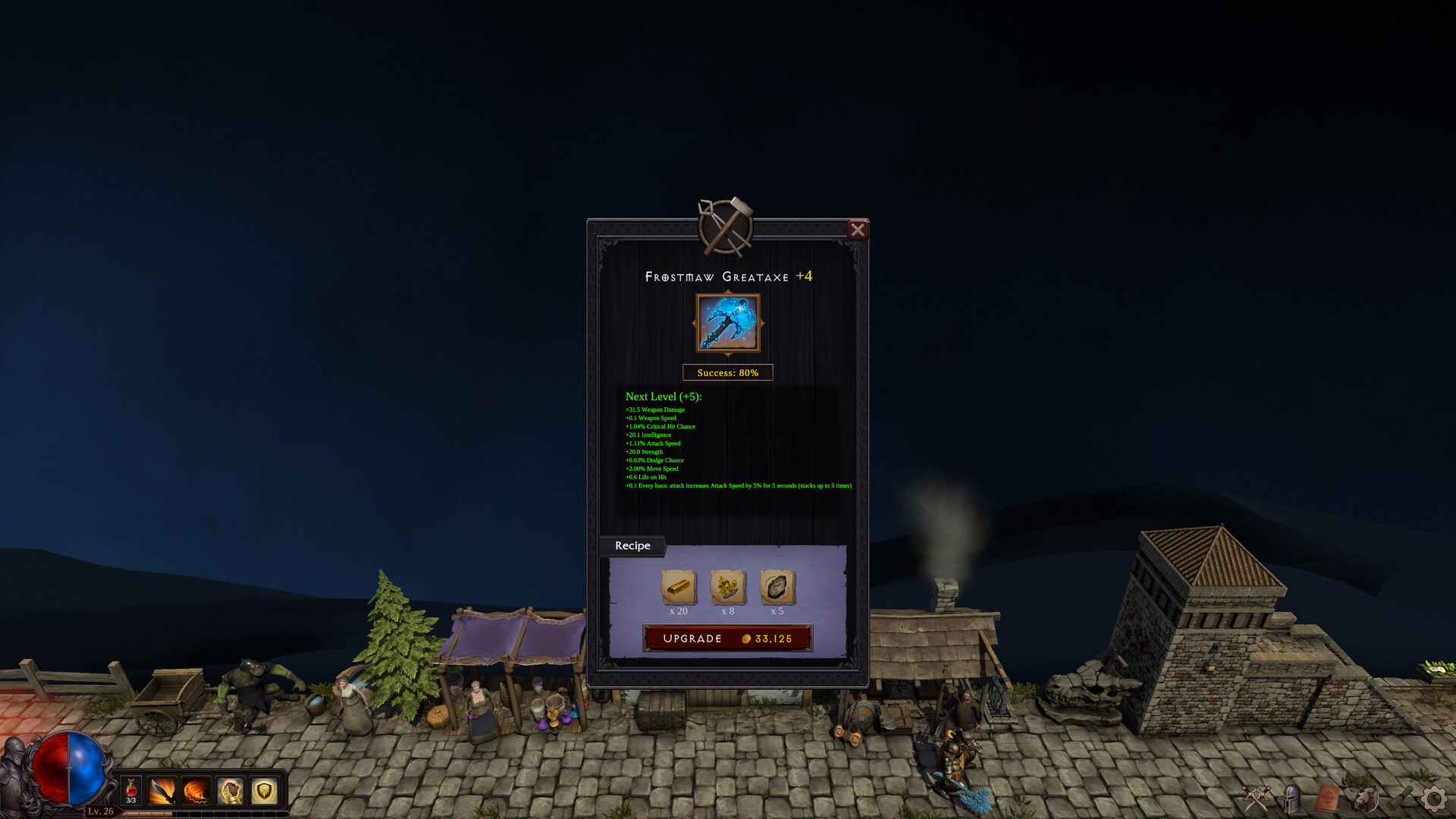
The official upgrade screenshot shows a Frostmaw Greataxe +4 with a preview for Next Level (+5), 80% success, a materials recipe and 33,125 gold beside the Upgrade button.
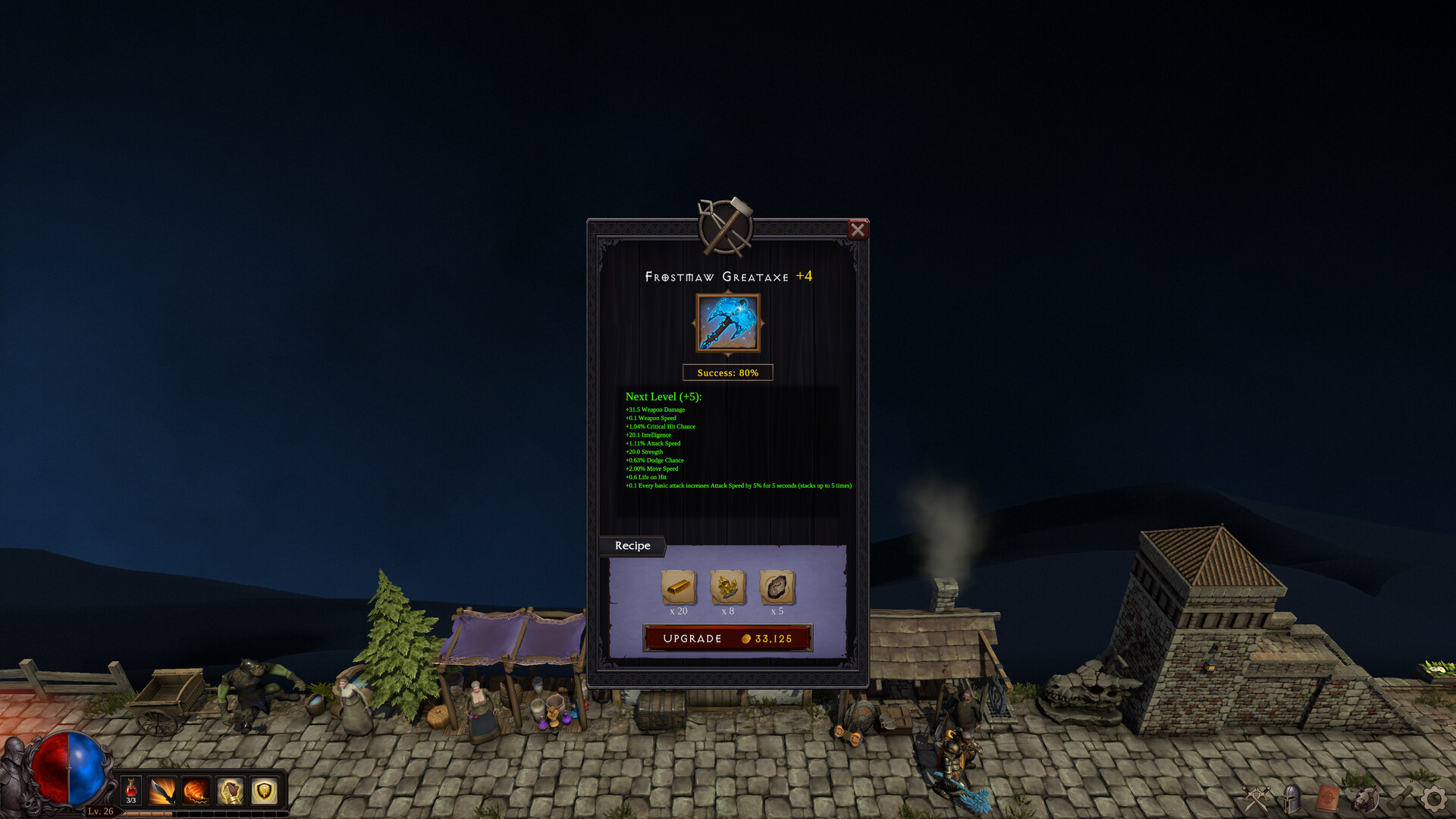
Before pressing Upgrade, read four parts of your own screen:
- Current item and next level. Confirm that you selected the item you intend to keep, then compare the green stat changes with your goal.
- Success chance. An 80% example is not a guaranteed success; use the percentage shown for your attempt.
- Recipe. Inspect each material icon and quantity. The screenshot alone does not identify all material names.
- Gold cost. Reserve resources for any town service you are already working toward.
The screenshot does not explain what is lost on failure, refunds or later-level chances. Check current in-game descriptions before spending; do not extrapolate a +10 cost from this single +5 preview.
Organize the comparison items
The comparison screenshot includes an L — Mark as Locked hint. Check the hint in your current game when marking an item you want to keep; the screenshot does not document every protection a lock provides.
Patch 1.0.0g added Stash All and Take All to storage. Check what a bulk action moved before selling or upgrading equipment. Keep a small group of candidates so your next comparison does not start from scratch.
Understand the patch boundary
Patch 1.0.0g adjusted equipment drops to give equipment slots an even chance. That is a statement about slot distribution, not a guarantee of equal rarity, particular legendary drops or a fixed farming time.
When a farming tip predates the patch, check whether it depends on the earlier distribution. Use the build comparison method for performance claims.
Sources & review
Reviewed Sep 30, 2026 Official facts are drawn from the sources below. Checklists and comparison methods are editorial recommendations; they are not claims of in-game testing.
- Weapon comparison · official Steam screenshot ↗Two weapon tooltips with damage, speed, DPS, effects and stats lost. A specific example, not a current item balance table.
- Upgrade panel · official Steam screenshot ↗One +4 to +5 example with displayed success chance and price. Does not establish universal costs or failure consequences.
- Steam global achievements ↗Class names, equipment slots, named progression milestones and Rein terminology.
- Patch 1.0.0g · September 29 ↗Storage controls, class fixes and equipment-slot drop distribution.